

Guides
How to Charge IGET Bar Pro: Complete USB-C Charging Guide
How to Charge IGET Bar Pro: The Complete USB-C Charging Guide
The IGET Bar Pro is one of the most popular rechargeable disposables in Australia.
It lasts for thousands of puffs, so the battery needs topping up along the way.
However, many new owners are unsure how the charging port works.
Others worry about cables, charge times or a light that won’t switch off.
This guide explains how to charge IGET Bar Pro devices step by step.
It also covers safe habits, common faults and simple fixes.
By the end, you will know exactly what to plug in, how long to wait and when to stop.

Why the IGET Bar Pro Needs Charging
Older disposables used a sealed battery sized to match the e-liquid. When the battery died, the device was finished.
The IGET Bar Pro 10000 works differently. Its e-liquid supply outlasts a single battery charge by design.
As a result, you recharge the battery several times before the liquid runs out.
That means you finish every drop you paid for.
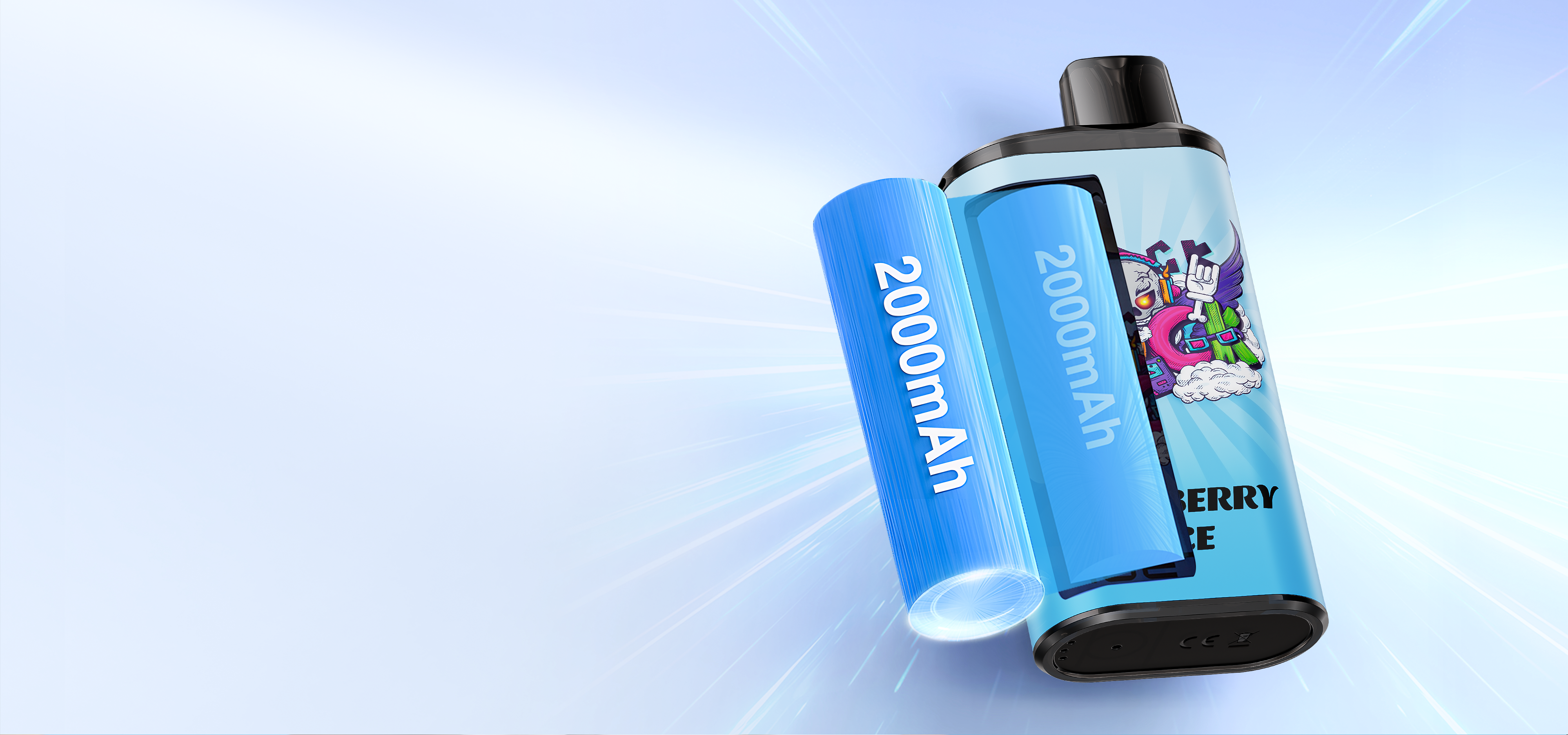
According to IGET’s official specifications, the Bar Pro uses a 2000 mAh battery with a 1.2 Ω mesh coil.
That pairing suits long, steady sessions.
Still, even a 2000 mAh cell drains over a few days of regular vaping.
So charging becomes part of the routine.
What You Need Before You Start
The good news is that the kit list is short. In most homes you already own everything.
- A USB-C cable in good condition
- A standard 5V wall adapter, laptop port or car USB port
- A dry, flat surface away from heat and direct sun
- A few minutes to check the LED signal
IGET does not include a cable in the box.
Therefore, use the same type of USB-C cable that charges most Android phones.
How to Charge IGET Bar Pro Step by Step
Follow these steps each time the battery runs low. They take less than a minute to set up.
- Check that the port on the base is clean and dry.
- Plug the small USB-C end firmly into the base of the device.
- Connect the other end to a 5V adapter or computer port.
- Watch for the indicator light to confirm charging has started.
- Leave it on a flat surface and avoid vaping while it charges.
- Unplug once the light shows a full charge.
That’s it. There are no buttons to press and no settings to change.
However, a few details make the process faster and safer. The sections below explain each one.
Step One: Inspect the Charging Port
Pocket lint is the most common cause of a slow charge. It packs into the port and blocks the cable.
So look into the port before you plug in. If you spot fluff, remove it gently with a dry toothpick.
Also, never push metal objects into the port. Metal can scratch the contacts or cause a short.
Step Two: Choose the Right Power Source
A standard 5V, 1A to 2A phone charger works best. It delivers a steady current the battery can accept comfortably.
By contrast, some fast chargers push high voltage to newer phones.
The Bar Pro only draws what it needs, but a basic adapter keeps things simple.
Laptop ports also work well. They are usually slower, yet they are gentle on the cell.
Step Three: Read the Indicator Light
The light near the base is your charging dashboard.
It tells you when current is flowing and when the cell is full.
Typically, the light glows while charging and changes or switches off when complete.
Units from different batches can behave slightly differently.
If the light never turns on, jump to the troubleshooting section further down.
How Long Does the IGET Bar Pro Take to Charge?
From flat, most units reach a full charge in roughly 45 to 60 minutes.
That estimate assumes a standard 5V adapter.
Meanwhile, a partial top-up of 15 to 20 minutes gives a useful boost.
That helps when you are heading out the door.
Charge time also depends on the cable, the adapter and the room temperature. Cold rooms slow the process slightly.
In short, plan for about an hour and you will rarely be caught out.
| Situation | Typical Charge Time | Best Power Source |
|---|---|---|
| Flat battery to full | 45 to 60 minutes | 5V wall adapter |
| Quick top-up | 15 to 20 minutes | Wall adapter or car port |
| Laptop USB-C port | 60 to 90 minutes | Laptop or desktop |
| Cold room below 10°C | Slightly longer | Warm to room temperature first |
How to Tell When Your IGET Bar Pro Needs Charging
Your device gives clear hints before the battery gives out. Learning them saves frustration.
First, the indicator may flash when you take a draw. That is the most direct warning.
Next, vapour production may feel thinner. The coil receives less power as the battery weakens.
Finally, flavour may taste muted even though plenty of e-liquid remains. A charge usually restores full flavour right away.
On the other hand, a burnt or harsh taste usually points to low e-liquid, not a low battery.
Charging won’t fix an empty tank.
Safe Charging Habits for Every Rechargeable Vape
Lithium batteries are safe when you treat them with care. A few simple habits reduce risk and extend battery life.
- Never charge overnight or while you are out of the house.
- Keep the device away from bedding, couches and paper while charging.
- Stop charging if the device gets hot, swells or smells unusual.
- Avoid charging straight after a long session; let it cool first.
- Store the device out of cars, where summer heat can exceed 60°C.
In addition, only use cables and adapters in good condition. A frayed cable can overheat.
Above all, keep charging devices well out of reach of children and pets.
E-liquid contains nicotine, which is toxic if swallowed.
IGET Bar Pro Not Charging? Common Fixes
Sometimes the light stays dark or the battery refuses to fill. Most problems have a quick fix.
Try a Different Cable
Cables fail more often than devices. Test the cable with your phone first.
If your phone charges normally, try another cable with the vape anyway.
Some cheap cables only carry power at certain angles.
Clean the Port
As mentioned earlier, lint is the usual culprit. Gently clear the port and try again.
Also, check for moisture. If the device got wet, let it dry fully for 24 hours before charging.
Switch Power Sources
Some power banks switch off when the current draw is low. As a result, they stop charging small devices.
So switch to a wall adapter. If the light comes on, the power bank was the problem.
Let It Warm Up
Batteries dislike cold. If the device was left in a cold car, bring it inside for 30 minutes first.
When to Stop Trying
If none of these steps work, the battery or board may be faulty. Stop using the device.
Contact the store you bought it from for help.
At Official IGET, faulty items are covered under our returns and refunds policy.

How Charging Compares Across IGET Devices
Not every IGET device charges the same way. Some older models are sealed and never need charging.
This table shows how the main ranges compare. It helps if you own more than one device.
| Device | Rechargeable | Port | Rated Puffs | |
|---|---|---|---|---|
| [[C:iget-bar-3500 | IGET Bar 3500]] | No | None | Up to 3,500 |
| [[C:iget-bar-pro-10000 | IGET Bar Pro 10000]] | Yes | USB-C | Up to 10,000 |
| [[C:iget-one-12000 | IGET One 12000]] | Yes | USB-C | Up to 12,000 |
| [[C:iget-bar-plus-s3 | IGET Bar Plus S3]] | Yes | USB-C | Up to 10,000 per pod |
| [[C:iget-soul-b40000 | IGET Soul B40000]] | Yes | USB-C | Up to 40,000 |
| [[C:iget-move-b50000 | IGET Move B50000]] | Yes | USB-C | Up to 50,000 |
Clearly, the newer ranges all use USB-C. So one cable covers your whole collection.
For a deeper look at models, read our IGET Bar Pro vs IGET One comparison.
Tips to Make Your Battery Last Longer
A healthy battery delivers stronger flavour for longer. These habits help.
Charge Before It Goes Completely Flat
Lithium cells prefer partial cycles. Therefore, top up when you notice weaker vapour rather than waiting for total shutdown.
Avoid Heat
Heat is the biggest enemy of battery health. Keep the device out of direct sun, glove boxes and hot pockets.
Take Shorter Draws
Long, heavy draws pull more current. Shorter two to three second draws are gentler on both battery and coil.
Plus, shorter draws make each puff taste cleaner.
Rest Between Sessions
Chain vaping heats the coil and the cell. A short pause lets both recover.
For more tips, see our guide on how many puffs each IGET really gives.
Charging on the Go Around Australia
Many Aussies vape at work, on the road or while travelling. So charging away from home is common.
Here are the easiest options when you are out and about.
Car USB Ports
Most modern cars have a USB-C or USB-A port. A short cable lets you top up during the commute.
Then unplug when you park.
A hot cabin in a Queensland or WA summer is no place for a lithium battery.
Power Banks
A power bank is handy for long days, festivals and camping trips. Choose one that stays on with low-draw devices.
Some models have a “low current” mode for earbuds and smartwatches. That mode also suits small vape batteries.
Office and Laptop Ports
Your work laptop is a gentle, steady charger. It is slower, but it is kind to the cell.
Just keep the device on the desk, not buried in a bag while charging.
Flying Interstate
Airlines treat vapes as spare lithium batteries. That means carry-on only, and no charging on board.
Our guide on taking a vape on a plane covers the full airline rules.
Battery Care Through the Australian Seasons
Australian weather is tough on electronics. Summer heat and winter cold both affect charging.
Summer
In summer, the main risk is overheating. A device left on a dashboard can become dangerously hot.
So keep it in the shade and let it cool before charging. A warm battery charges less efficiently anyway.
Winter
In winter, especially in Canberra, Hobart or the high country, cold slows the chemistry.
The device may seem flat when it isn’t.
Warm it in your hand or pocket for a few minutes. Often the power returns without any charge at all.
Humid Coastal Areas
In Cairns, Darwin and other humid spots, moisture can creep into ports. Store the device in a dry pouch overnight.
Also, check the port for condensation before plugging in.
A Quick Checklist on How to Charge IGET Bar Pro Safely
Before every charge, run through this mental checklist. It takes five seconds.
- Is the port clean and dry?
- Is the cable in good condition?
- Am I using a standard adapter or port?
- Will I be nearby while it charges?
- Is the device cool to the touch?
If the answer to every question is yes, go ahead and plug in.
Can You Vape While the IGET Bar Pro Is Charging?
Technically, some devices will fire while connected. However, we recommend against it.
Vaping while charging adds heat to a battery that is already working. That shortens battery life over time.
It also puts strain on the port and cable. So unplug first, then vape.
What About Disposables That Aren’t Rechargeable?
Sealed models such as the IGET Bar 3500 have no charging port. You cannot safely recharge them.
Some online videos suggest opening a sealed vape to charge it. Please don’t try this.
Opening a lithium device can cause burns or fire.
Instead, if you want a device you can top up, choose a rechargeable range.
Our guide on how to recharge a disposable vape explains which devices support it.
Disposing of Your IGET Bar Pro Responsibly
Eventually the e-liquid runs out, even with a healthy battery. At that point, the device reaches end of life.
Never put vapes in your kerbside bin. Lithium batteries can ignite inside garbage trucks.
Instead, take them to an e-waste or battery drop-off point.
Our guide on how to dispose of vapes in Australia lists the safest options.
Shopping for a Genuine IGET Bar Pro
Charging problems are far more common with counterfeit devices. Fake units often use cheap cells and poor boards.
That is why genuine stock matters. Every device at Official IGET is sourced as authentic product and checked before dispatch.
You can also verify your own device. Our guide to checking IGET authenticity explains the scratch code process.
Browse the full IGET Bar Pro range or compare flavours in our IGET Bar Pro flavours guide.
Also, every order ships free, and paying with crypto saves 15% at checkout.
Learn more on our pay with crypto page.
Summary: How to Charge IGET Bar Pro in Four Points
Here is the short version for quick reference.
- Use a clean USB-C cable and a standard 5V adapter.
- Plug into the port on the base and watch for the light.
- Allow roughly 45 to 60 minutes from flat.
- Never charge overnight, unattended or in heat.
In other words, treat it like your phone and it will serve you well.
Frequently Asked Questions
What cable does the IGET Bar Pro use?
It uses a standard USB-C cable, the same type most Android phones use.
IGET does not include one in the box.
How long does it take to charge an IGET Bar Pro?
Most units charge fully in roughly 45 to 60 minutes on a 5V adapter.
Laptop ports can take a little longer.
Can I use a fast phone charger?
Yes, the device only draws the current it needs.
Still, a basic 5V adapter is the gentlest option.
Why is my IGET Bar Pro flashing?
Flashing during a draw usually means the battery is low.
Plug it in and let it charge before vaping again.
Why won’t my IGET Bar Pro charge?
Try another cable, clean the port and switch to a wall adapter.
If it still fails, stop using it and contact the seller.
Should I charge it when the e-liquid is empty?
No, charging won’t help an empty tank.
A burnt taste usually means the liquid has run out.
Is it safe to leave it charging overnight?
No, never charge any lithium device overnight or unattended.
Unplug it as soon as it is full.
Can I charge it in the car?
Yes, a car USB port works while you drive.
However, never leave the device in a parked car on a hot day.
How many times can I recharge it?
You can recharge it until the e-liquid runs out.
That usually means several charges across the device’s life.
Where can I buy genuine IGET Bar Pro in Australia?
Official IGET stocks the full IGET Bar Pro 10000 range with free shipping.
Every order ships in discreet packaging.
This article is general information for adults aged 18 and over. Nicotine is an addictive substance.
Keep all vaping products away from children and pets.

Pingback: IGET Bar Plus S3 Guide: Pods, Flavours & Setup - officialiget.com
Pingback: IGET Authentication: How to Spot a Fake IGET - officialiget.com
Pingback: New IGET Vapes 2026: Latest Releases - officialiget.com
Pingback: How to Recharge a Disposable Vape Safely - officialiget.com